Loading...
Unified Workflows Unified Workflows

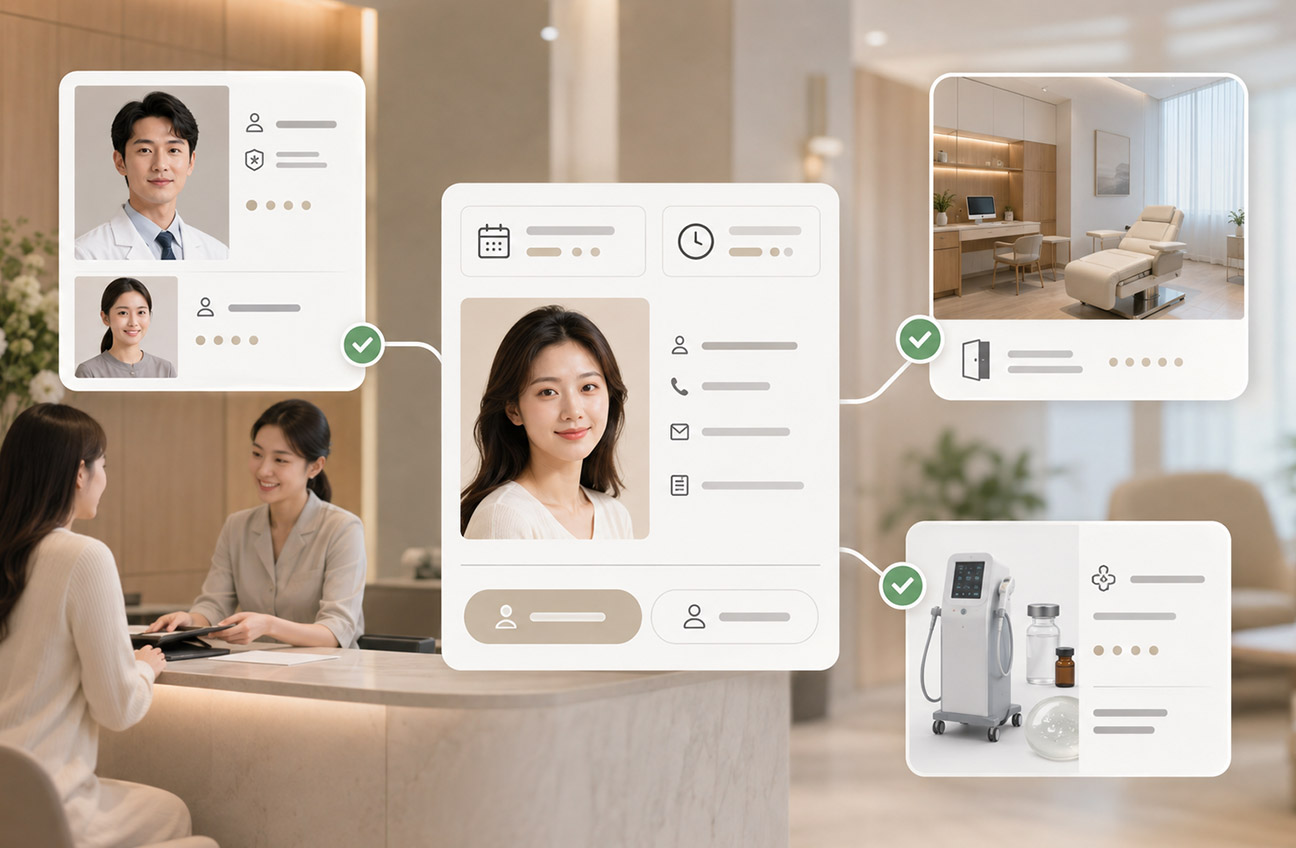
Connect patient appointments, orders and checkout, treatment delivery, electronic medical records (EMRs), products and supplies, staff attendance, and operational reports—with AI-assisted record review and GoMyPay payment integration.

360° Patient Profile
Appointments & Scheduling
EMR
Orders & Checkout
Inventory
Business Analytics

Connected Data

When patient profiles, appointments, orders, treatments, clinical records, and supplies are managed separately, staff must repeatedly search and cross-check information. MedPro connects these records around each patient, so they can be used throughout the service workflow.

Operational Task
Separate Management
With MedPro

Complete Patient History

Patient details, purchases, treatments, clinical records, and documents are stored separately, forcing staff to search across systems.
360° Patient Profile

Bring consultations, purchases, treatment and voucher balances, clinical records, and documents together for a complete service history.

Coordinate Appointments & Staff

Appointments, rooms, physicians, and staff shifts are managed separately, so every change requires repeated checks.
Unified Scheduling

Connect the appointment calendar, rooms, services, staff, and shifts for clearer scheduling.

Track Treatment Sales & Delivery

After a treatment package is sold, remaining sessions, treatment status, supplies, refunds, and transfers still require manual checks.
Post-Sale Tracking

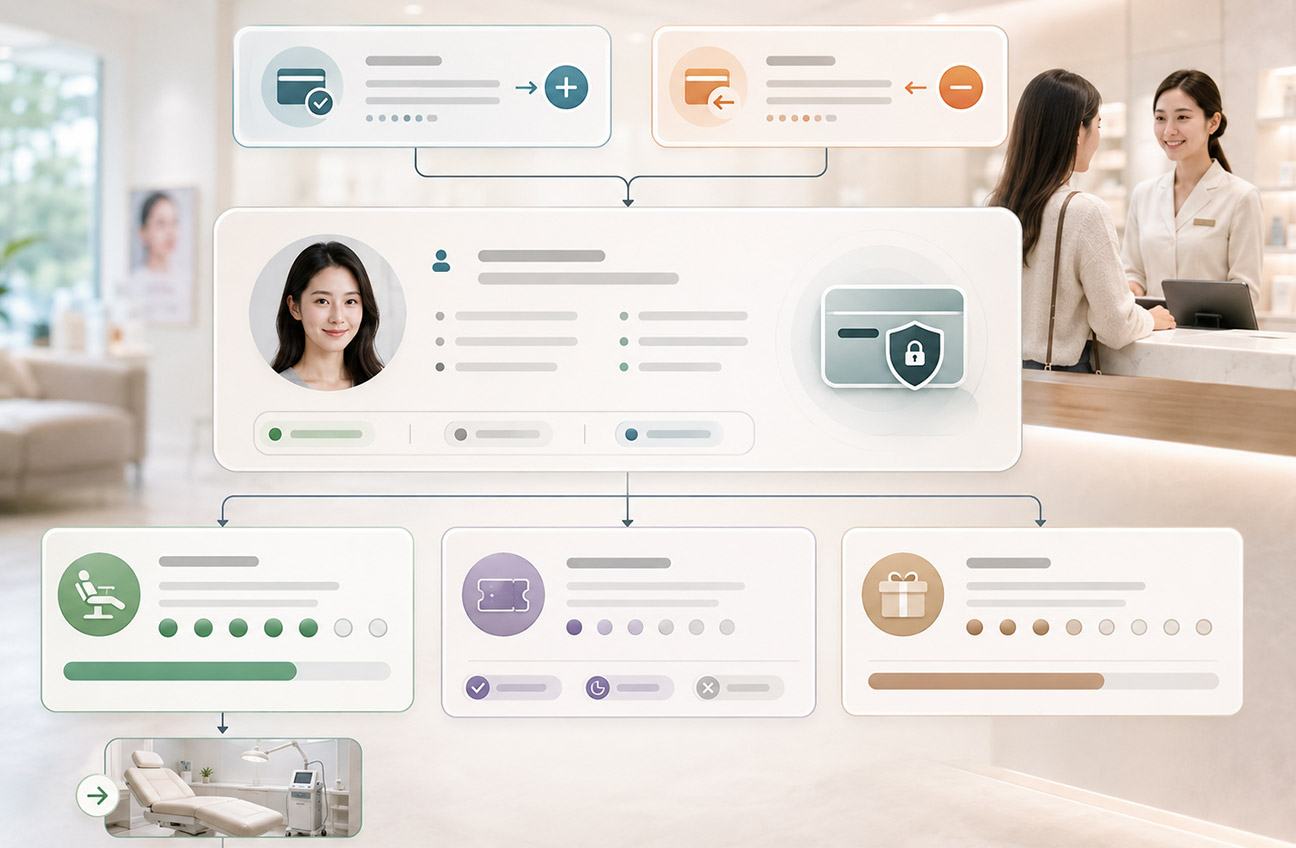
Connect orders, treatment and voucher balances, treatment delivery, refunds, transfers, and supply usage to keep track of services after the sale.

Find What Drives the Numbers

Revenue, treatments, inventory, and staff performance are scattered, leaving managers to compile data after the fact.
Overview & Detailed Analysis

Use operational overviews, detailed reports, and visual analysis to explore the records behind summary figures and investigate their causes.

Continuous Records

With the patient at the center, MedPro connects appointments, orders, checkout, treatment delivery, clinical records, and reporting so every role can continue the workflow in one system.

Three Key Features

From patient history and clinical information to payment workflows, bring daily management together and keep it connected throughout the service process.

MedPro 360° patient profile overview
Complete Patient History Complete Patient History

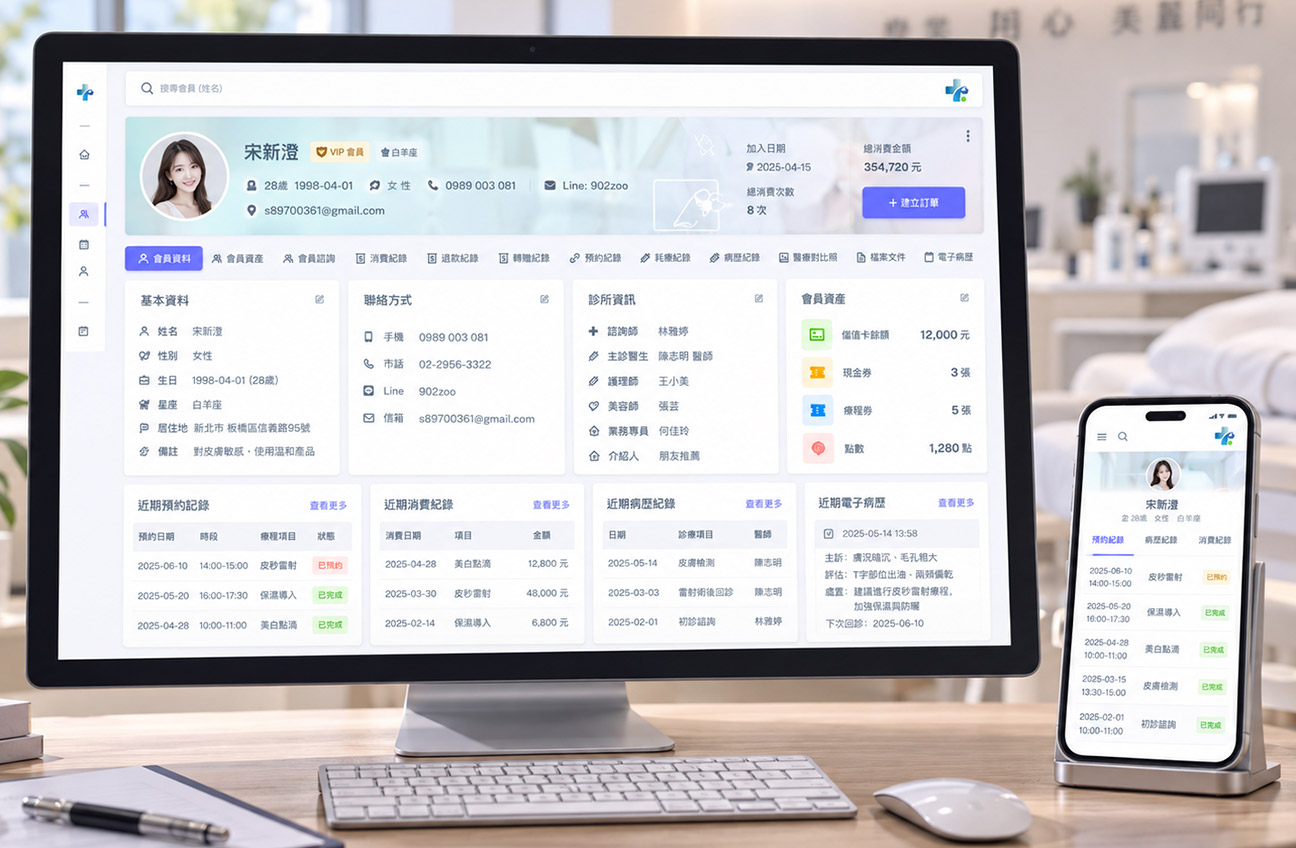
View patient details, treatment and voucher balances, consultations, purchases, refunds, transfers, appointments, treatment session records, clinical records, photos, and documents in one profile.

Patient Details
Treatment & Voucher Balances
Consultations
Purchases
Refunds
Transfers
Appointments
Treatment Session Records
Clinical Records
Before & After Photos
Documents
EMR
AI-Assisted Record Highlights AI-Assisted Record Highlights

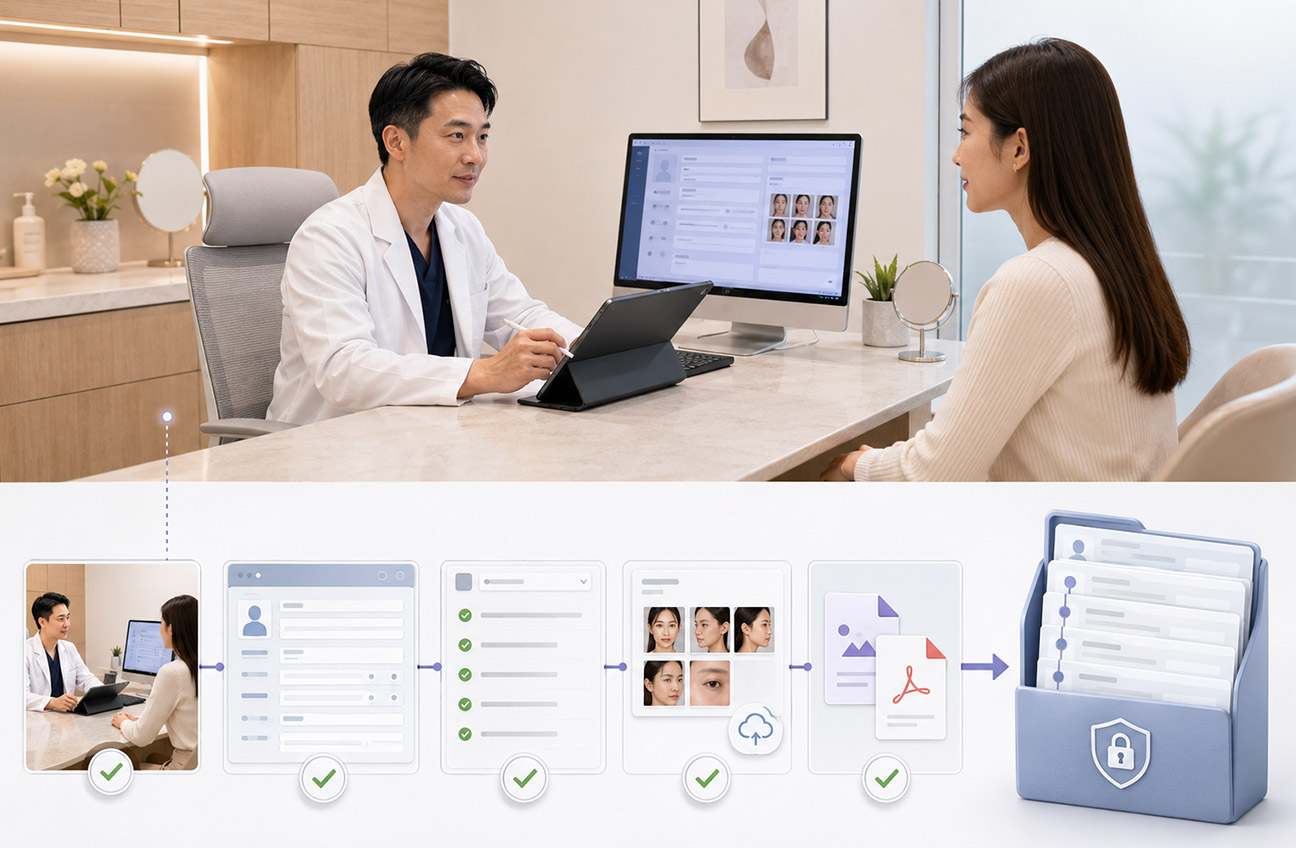
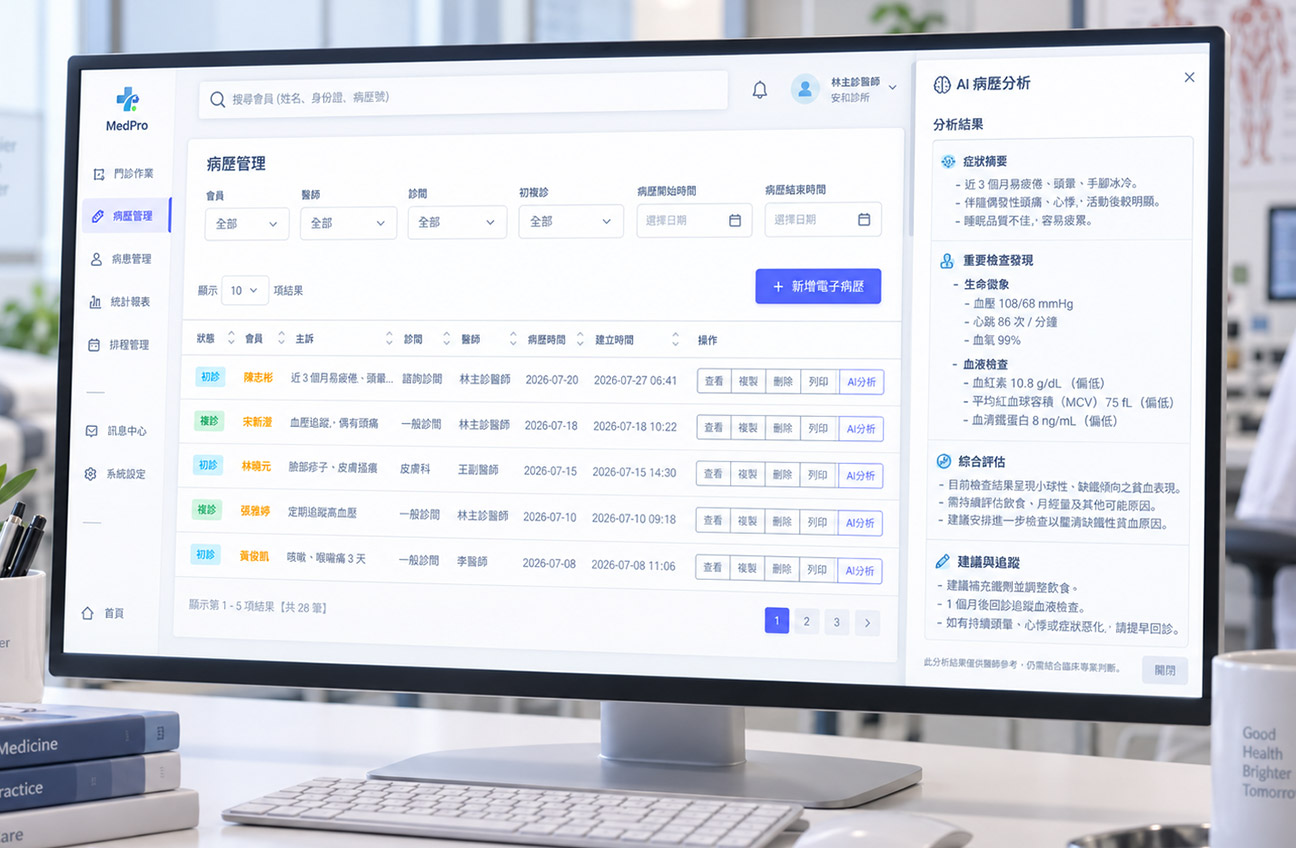
AI helps organize and analyze key information in electronic medical records and flags potentially missing data. AI document analysis also helps clinical teams review existing information faster.

  • Summarizes key information from existing records.
  • Flags information that may be missing.
  • Supports AI analysis of uploaded documents.
Note:
AI assists with organizing information. Qualified healthcare professionals must verify clinical records and medical judgments.
MedPro AI-assisted medical record organization
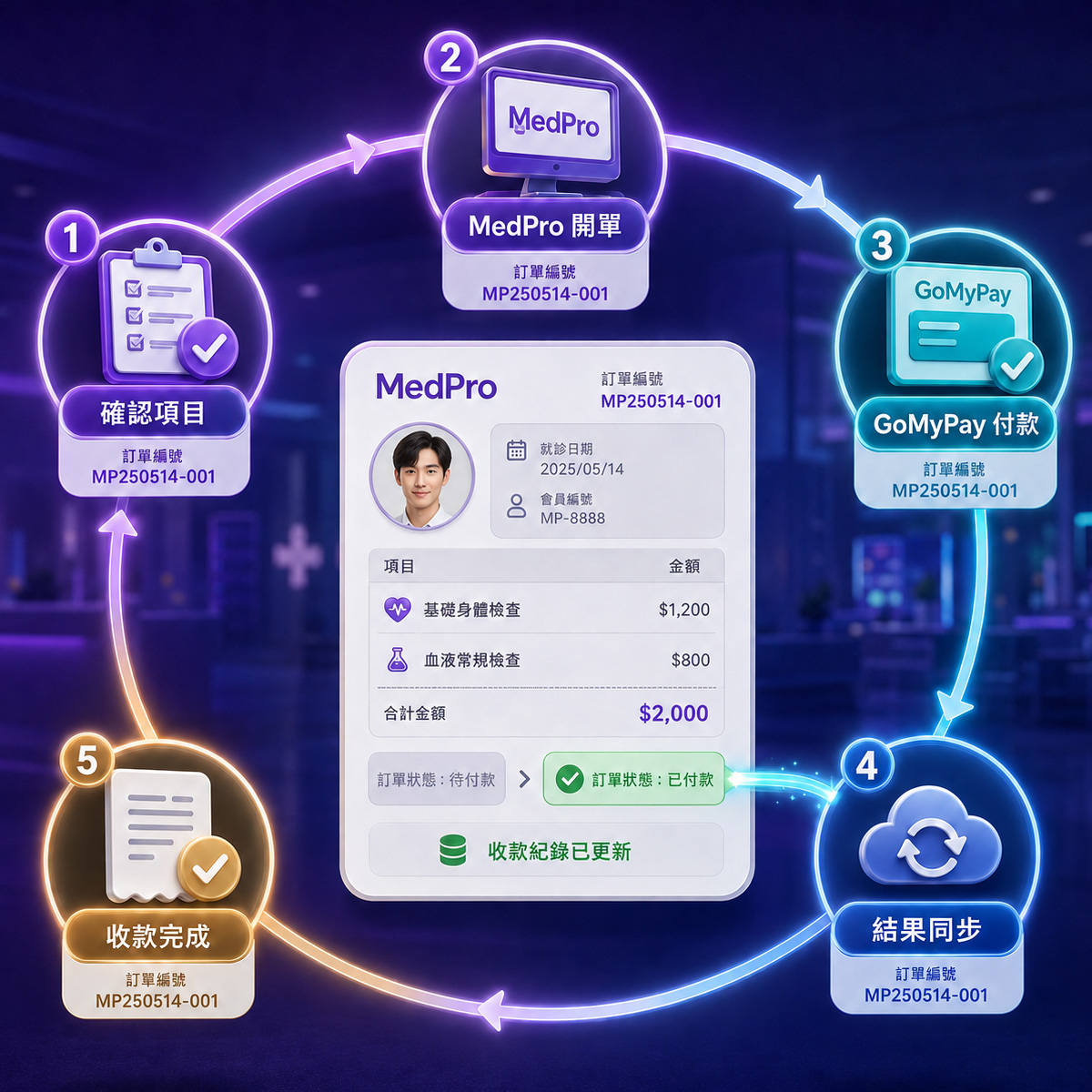
MedPro integration with GoMyPay payments
Integrated Management & Payments Integrated Management & Payments

MedPro integrates with GoMyPay to connect orders, checkout, and payments within one operational workflow—reducing system switching and duplicate work.

1
Native Integration
MedPro ERP × GoMyPay Payments
2
Flexible Setup
Integration tailored to your clinic
3
Fewer System Switches
Centralized management and payments
Beyond Integration

Centralize data, connect workflows, track activity, and turn daily records into better decisions.

1
Centralized data management in MedPro
Centralized Data
Manage patient and operational data in one place.
2
Connected workflows in MedPro
Connected Workflows
Keep appointments, orders, and treatments connected.
3
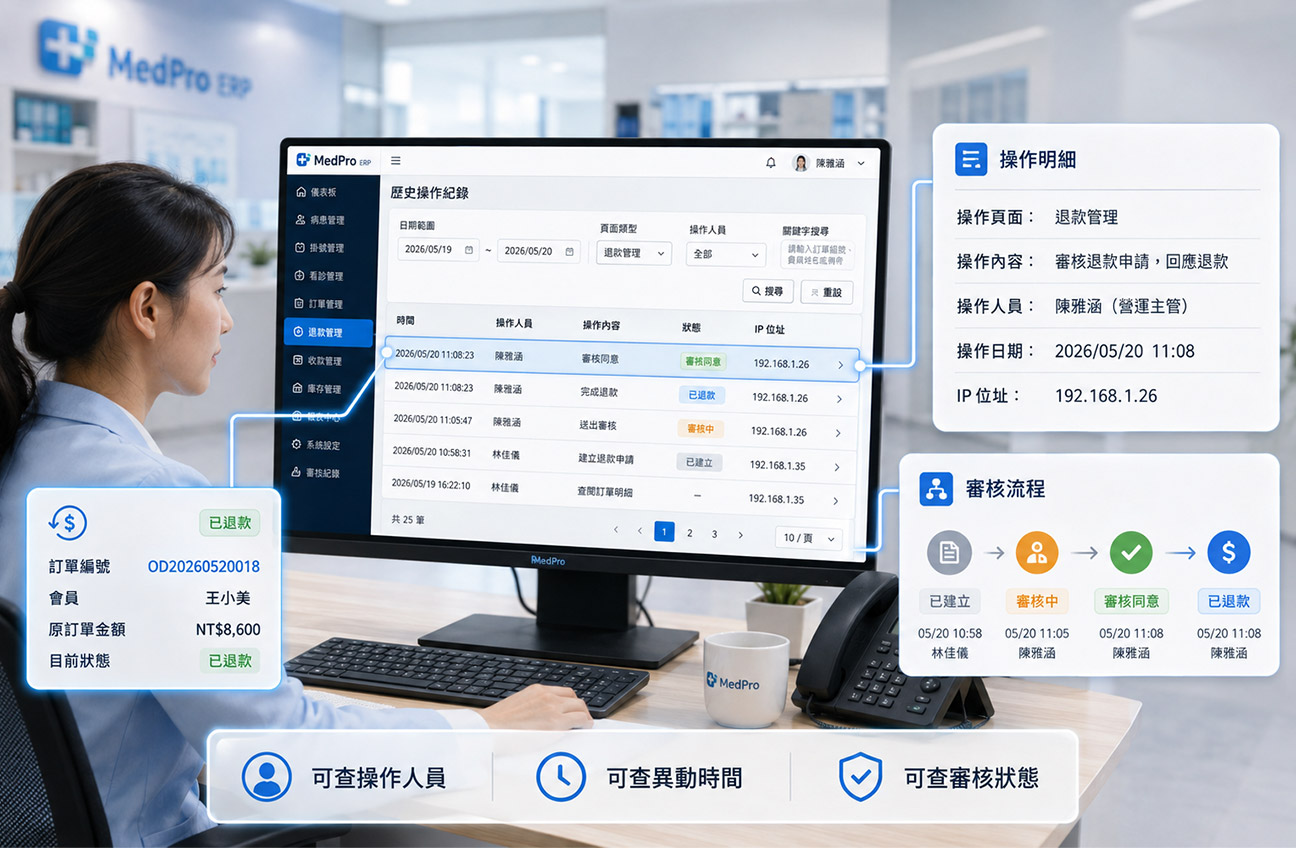
Traceable management activities in MedPro
Traceable Operations
Track statuses, approvals, and system activity.
4
Operational data analysis in MedPro
Actionable Analytics
Turn daily records into operational insight.
Six Core Modules

Bring patient profiles and appointments, sales and checkout, treatment delivery, inventory, reporting, and internal controls together in one clinic management system.

MedPro dashboard and staff management
Dashboard & Staff Management
Daily Operations & Staffing
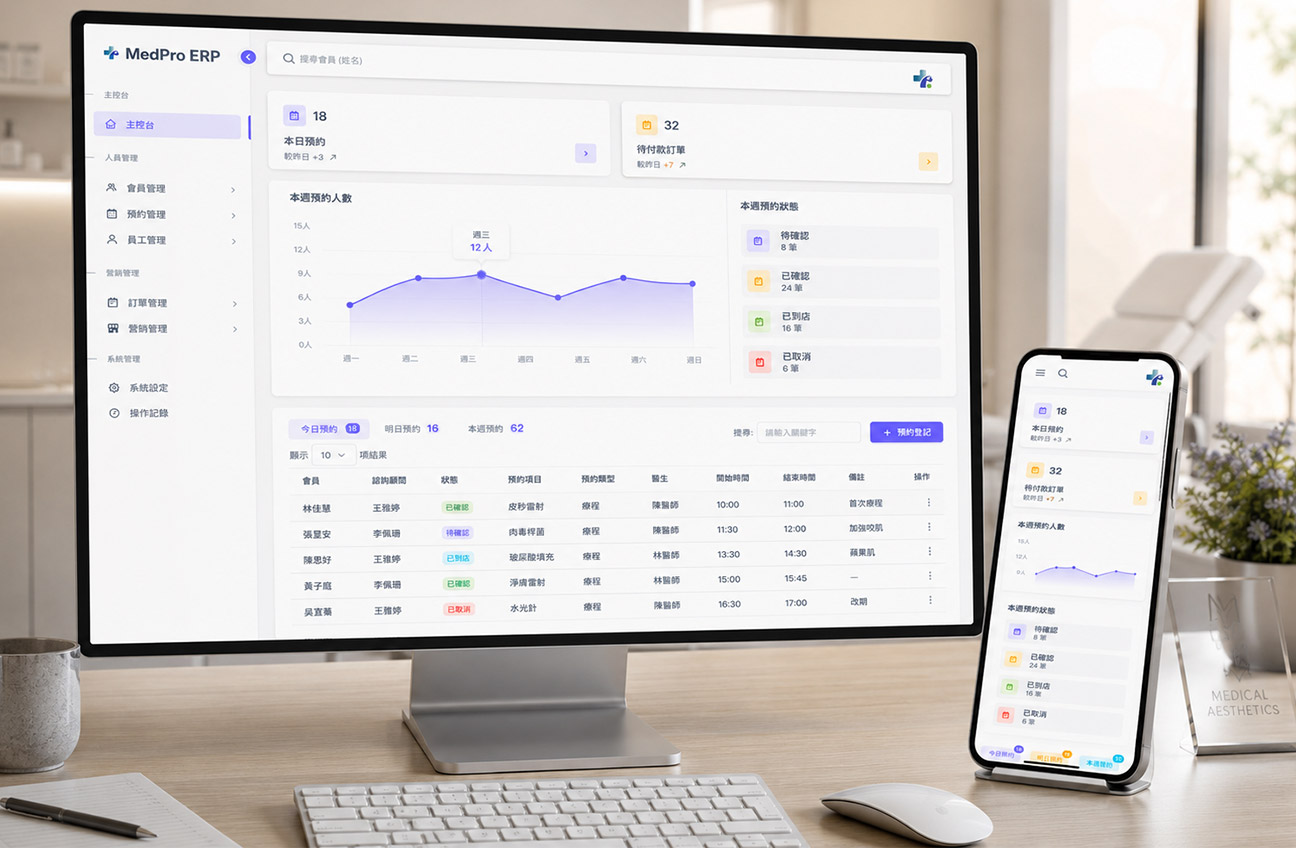
  • Real-time overview of today’s appointments, orders awaiting payment, and appointment statuses.
  • 360° patient profiles with complete service history.
  • Appointment calendar, shifts, and role management.
  • Mobile GPS clock-ins and attendance records.
MedPro sales, checkout, and patient service balances
Sales, Checkout & Service Balances
Track Orders & Treatment Balances
  • Create orders for treatments, packages, products, cash vouchers, and VIP cards.
  • Orders, checkout, and payment status.
  • Track patients’ treatments, vouchers, and remaining service balances.
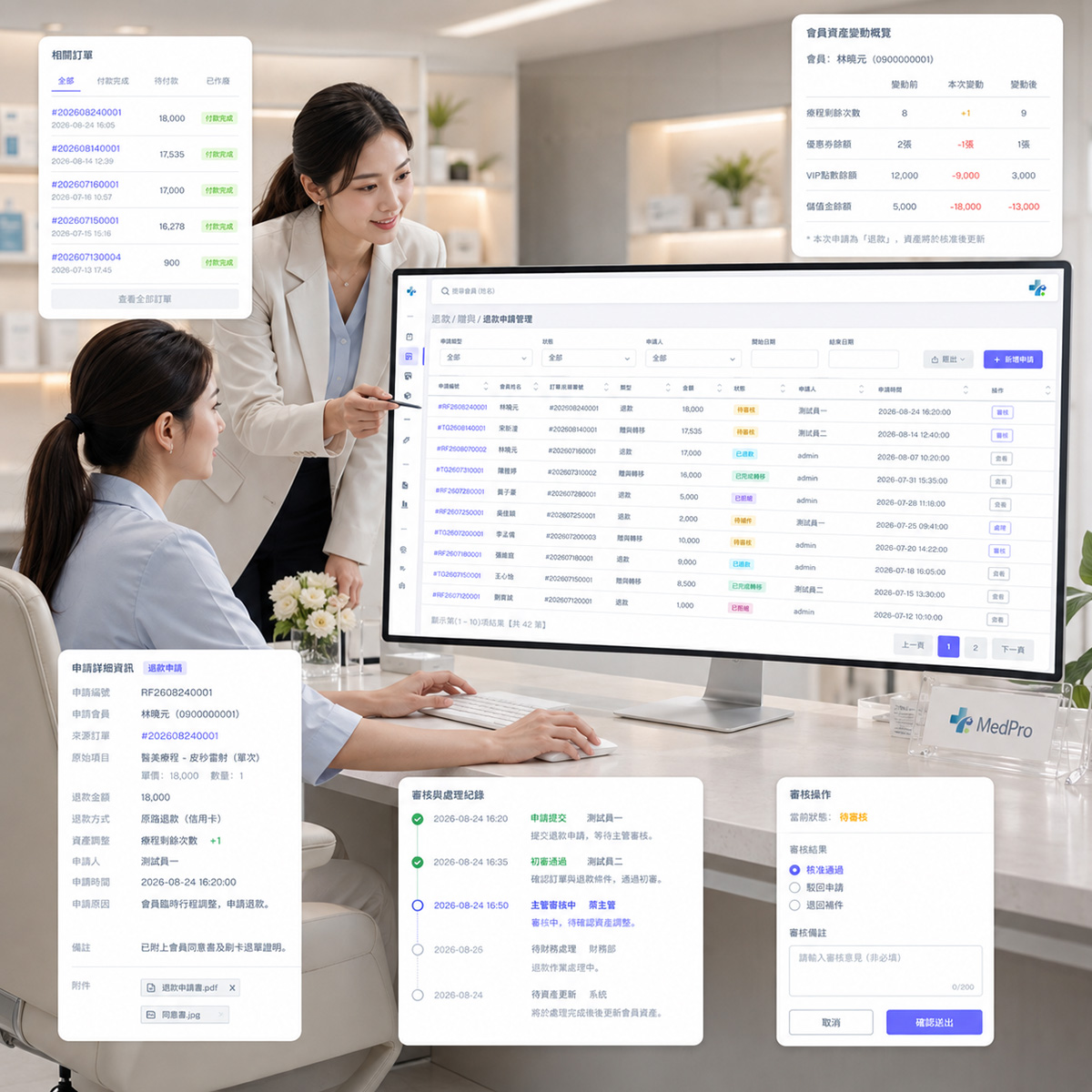
  • Refunds, treatment transfers, and related approval workflows.
MedPro clinical management and electronic medical records
Clinical Management & EMR
Complete Treatment & Clinical Records
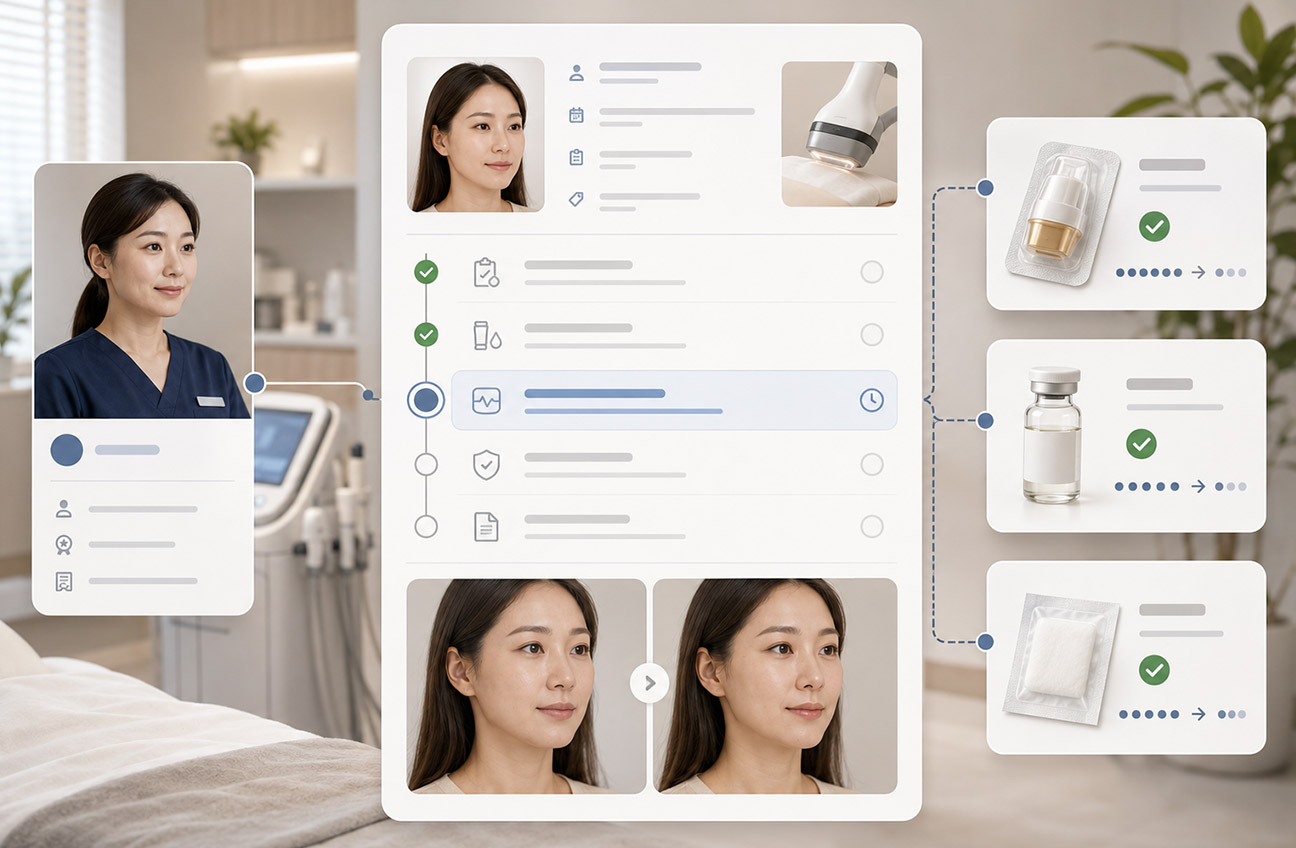
  • Records of treatment delivery, staff performing treatments, and supplies used.
  • Clinical templates, notes, and electronic medical records.
  • Medical orders, administration frequencies and routes, and allergen management.
  • Before-and-after photos and related documents.
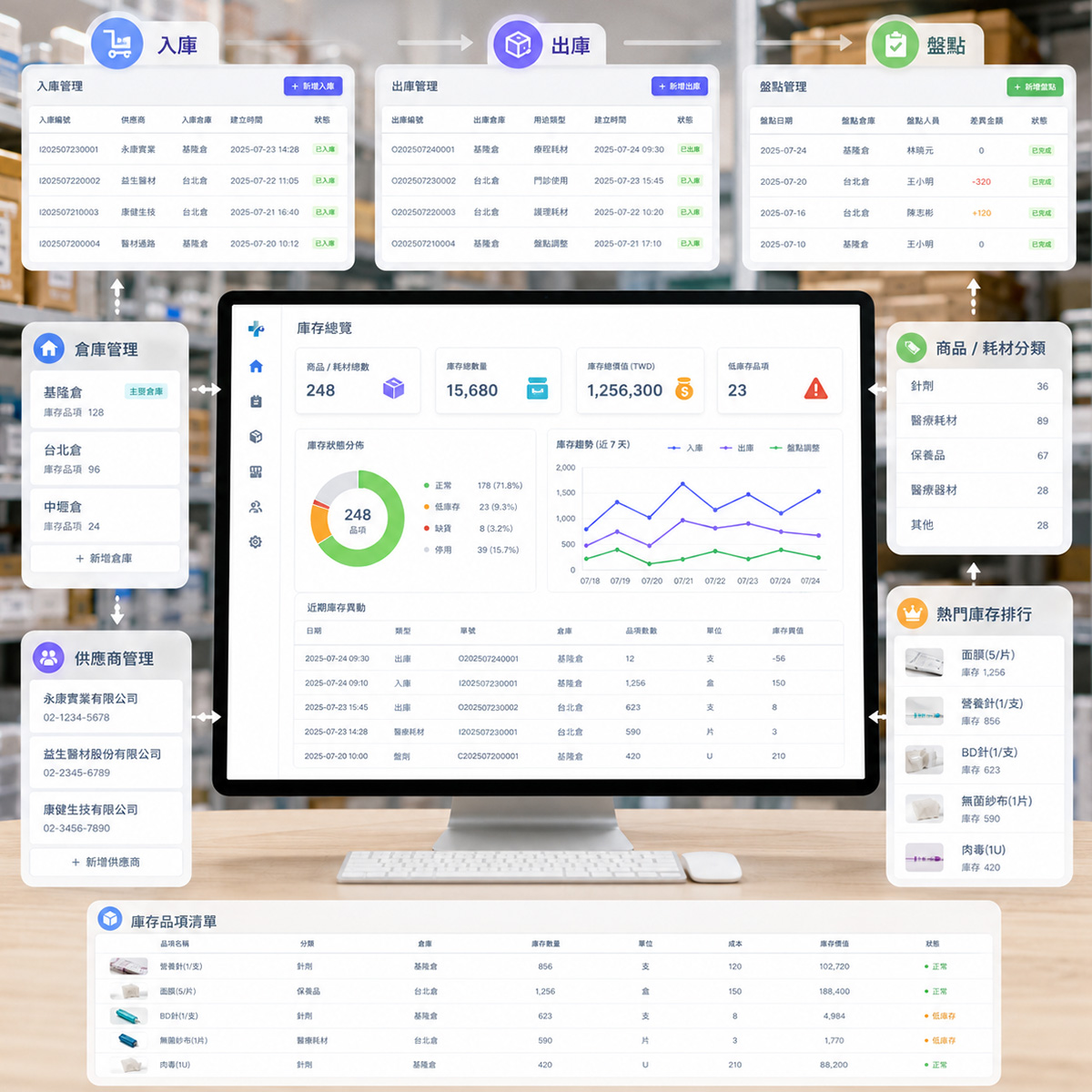
MedPro product, supply, and inventory management
Products, Supplies & Inventory
Track Products & Stock Movements
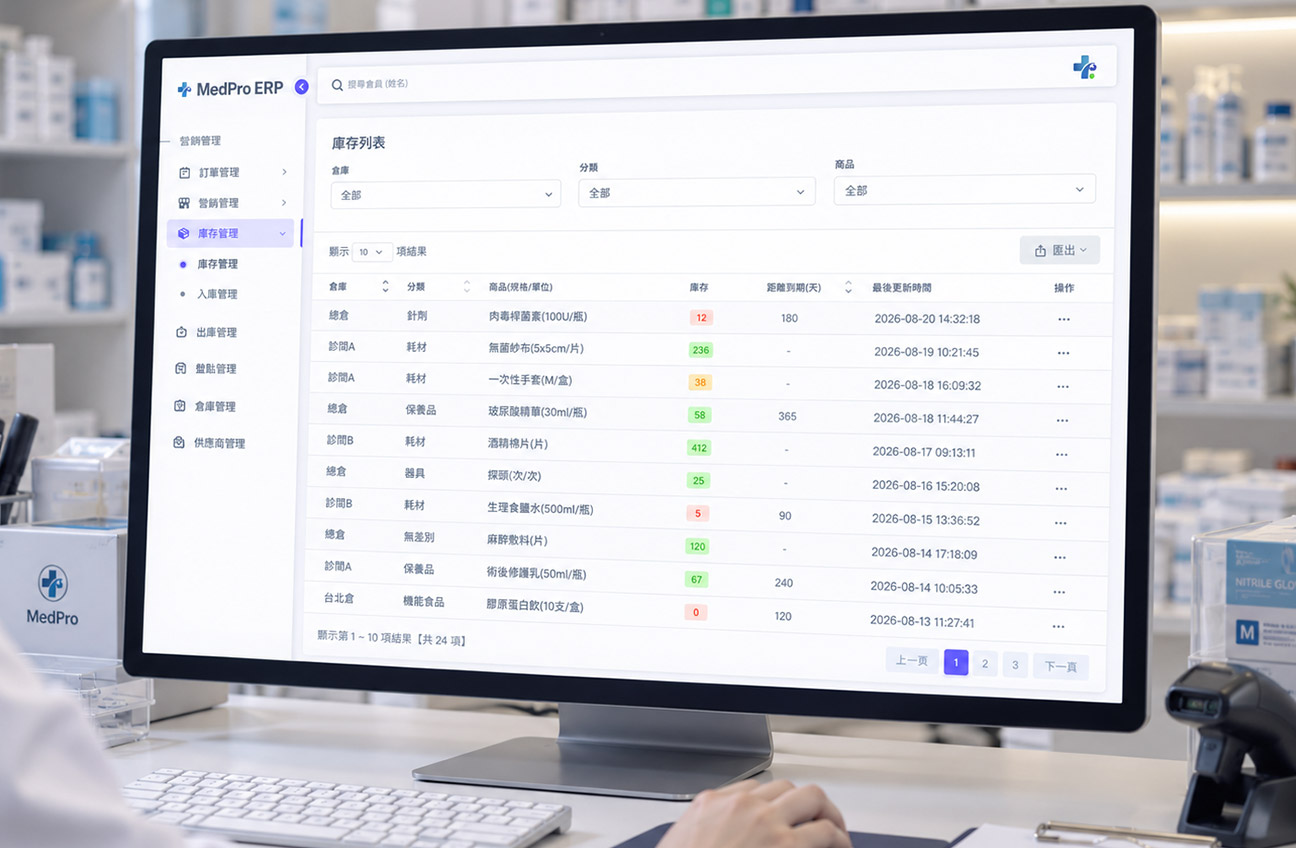
  • Categories and records for products and medical supplies.
  • Warehouses, stock movements, and inventory counts.
  • Inventory changes and daily usage.
  • Centralized vendor records.
MedPro operational analytics and staff sales performance
Business Analytics & Staff Performance
From Revenue to Operational Details
  • Reports on revenue, treatment and voucher balances, payments, and refunds.
  • Sales analysis by treatment, product, package, and voucher.
  • Appointments, treatment delivery, supplies, and inventory.
  • Staff sales credit allocation, treatment fees by staff member, and performance rankings.
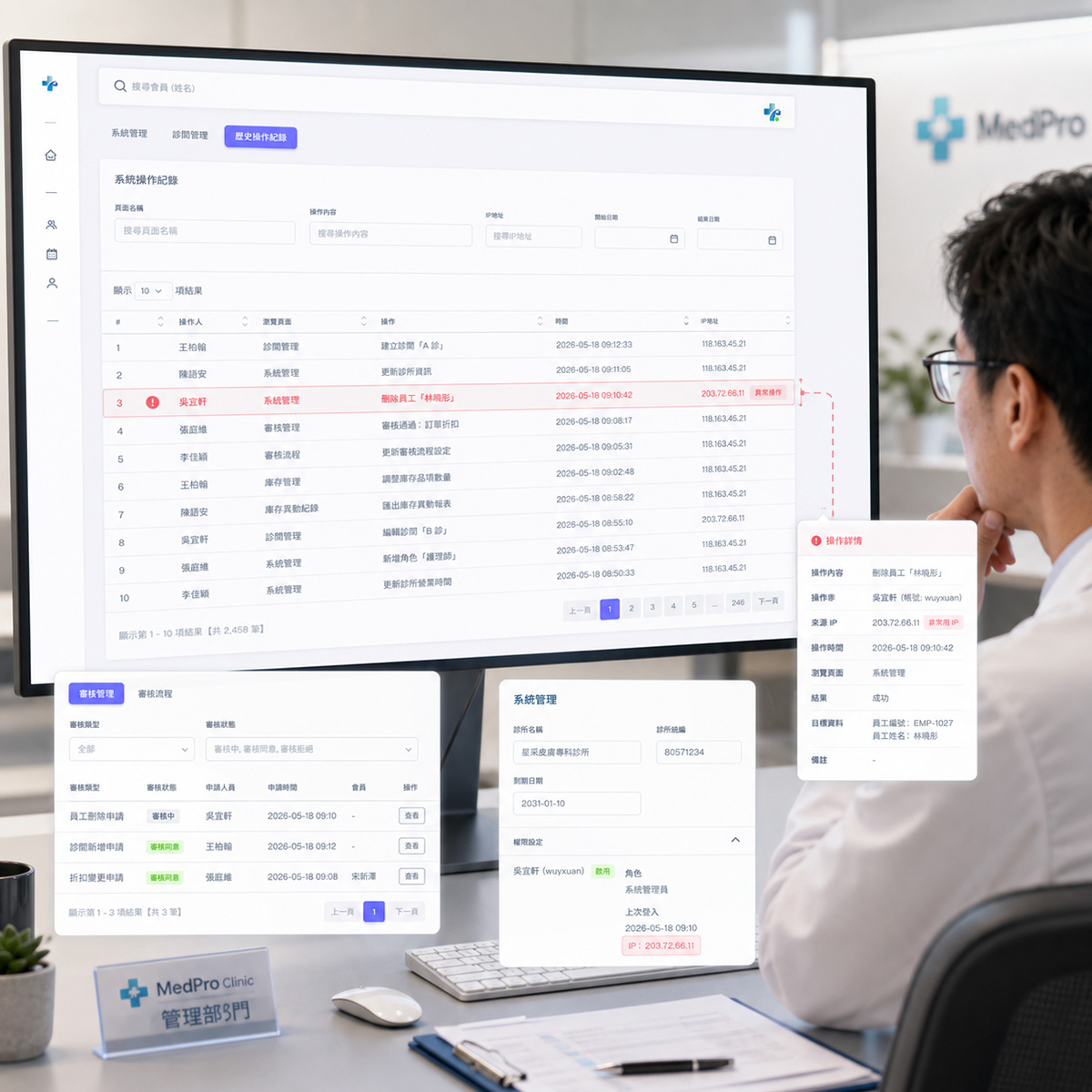
MedPro access permissions, approvals, and system management
Permissions, Approvals & Settings
Controlled Access. Recorded Changes.
  • Role-based access to system features and actions.
  • Approvals for discounts, refunds, and treatment transfers.
  • Clinic and treatment-room settings.
  • Activity logs with action details, IP addresses, and dates.
MedPro Preview

See MedPro in action—from the dashboard, patient profiles, and scheduling to EMRs, inventory, and reports.

MedPro operations dashboard interface
Daily Operations at a Glance Daily Operations at a Glance

View today’s appointments, orders awaiting payment, this week’s patient appointment counts, and appointment statuses in one place.

Patient History on One Page Patient History on One Page

View patient details, treatment and voucher balances, purchases, appointments, treatment session records, clinical records, before-and-after photos, and EMRs in one place.

MedPro 360° patient profile interface
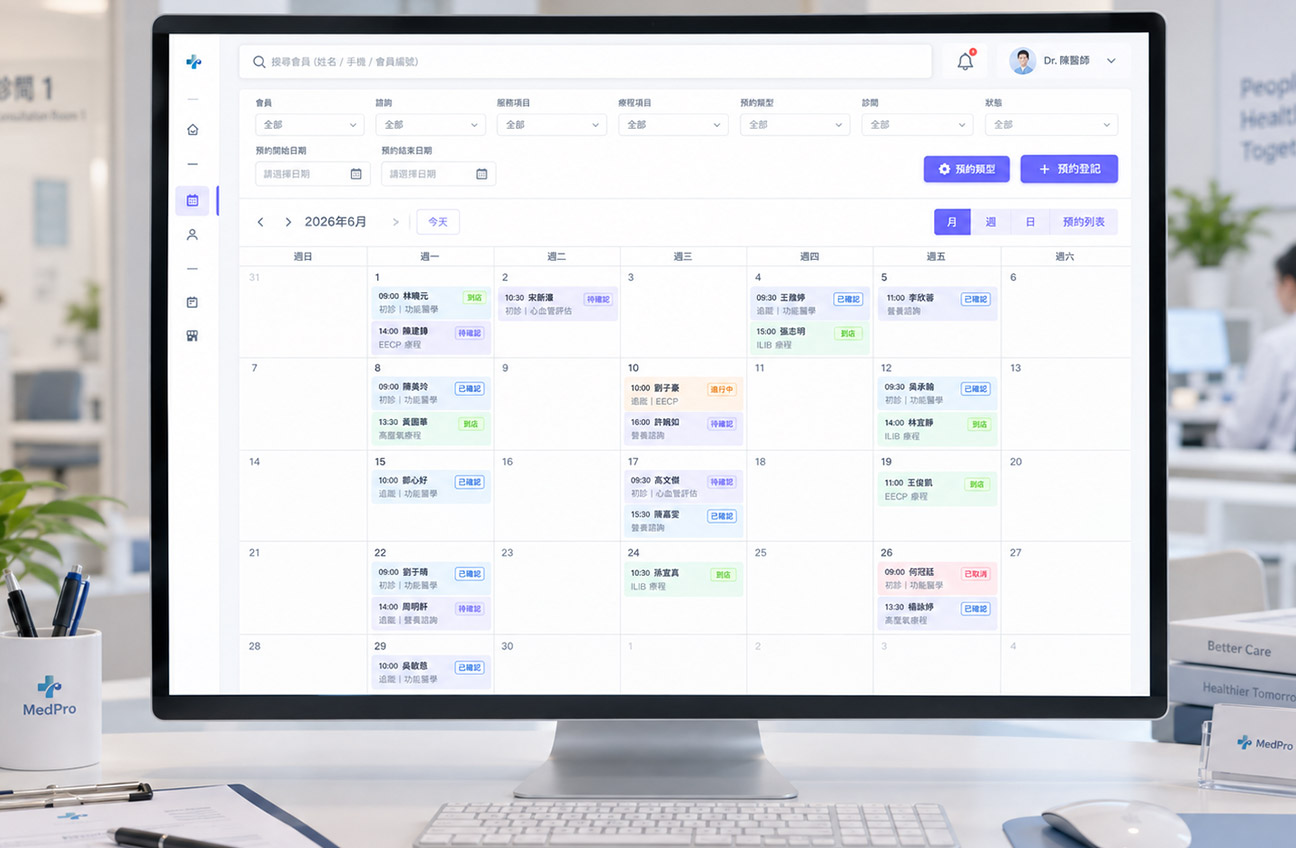
MedPro appointment management interface
Scheduling at a Glance Scheduling at a Glance

View appointments by month, week, day, or list, and filter by room, service, staff member, or status.

AI-Assisted Record Review AI-Assisted Record Review

Search, view, copy, print, and analyze EMRs with AI assistance to surface key information.

MedPro electronic medical records interface with AI assistance
MedPro inventory and supplies interface
Track Every Stock Movement Track Every Stock Movement

Manage product and supply inventory, and track stock receipts, stock issues, inventory counts, warehouses, and suppliers.

Clear Operational Insights Clear Operational Insights

Analyze revenue, patients, orders, treatments, inventory, and staff to view trends, distributions, and performance rankings.

MedPro operational reports interface
Role-Based Access

From operations and patient service to clinical care and administration, each role gets the tools it needs to work together in one system.

Clinic director or manager using MedPro
Clinic Director / Manager
Track Operations & Key Actions
Monitor appointments, revenue, payments and refunds, treatment and voucher balances, treatment delivery, inventory, staff performance, key approvals, and system activity logs.
  • Operations & Reporting
  • Appointments, Revenue & Inventory
  • Staff Performance & Approvals
Director
Supervisor
Manager
Consultant or front desk staff using MedPro
Consultant / Front Desk
From Reception to Checkout
Create and look up patient profiles, schedule appointments, record consultations, create orders, process payments, and view patients’ treatments, vouchers, and related balances.
  • Patient Profiles & Appointments
  • Consultations & Service Balances
  • Orders & Checkout
Consultant
Front Desk
Sales
Physician or clinical staff using MedPro
Physician / Clinical Staff
Patient History & Treatment Records
Review patient history and clinical records, record staff performing treatments, supplies used, and treatment photos, and create clinical records, EMRs, medical orders, and related documents.
  • Patient & Treatment History
  • EMRs & Medical Orders
  • Supplies, Photos & Documents
Physician
Nurse
Aesthetician
Administrative or support staff using MedPro
Admin / Operations
Inventory & Attendance Together
Manage products, supplies, warehouses, stock movements, inventory counts, and vendors. Review staff clock-ins, attendance, and internal records.
  • Products & Supplies
  • Stock Movements & Counts
  • Attendance & Admin Records
Admin
Inventory
HR
For Your Clinic?

Whether you are establishing management processes or connecting existing workflows, MedPro can be implemented to suit your clinic’s operational needs.

MedPro for aesthetic clinics

Aesthetic Clinics

Treatment, Patient & Supply Needs

Ideal for clinics managing consultations, appointments, treatment packages, vouchers, treatment usage, before-and-after photos, and clinical records.
Self-Pay & Treatment-Based Clinics
Track Appointments, Payments & Treatments
For clinics offering treatments, packages, or multi-session services that need to track patient balances, service delivery, and payment records.
MedPro for self-pay and treatment-based clinics
MedPro for clinics prioritizing clinical records
Clinics Prioritizing Records
Records, Orders & Documents Together
For healthcare providers setting up workflows for EMRs, record templates, medical orders, allergens, clinical photos, and documents.
Clinics Seeking Systematic Management
Organize Staff, Stock & Operations
For clinics moving beyond disconnected tools, spreadsheets, or manual work to unify scheduling, inventory, approvals, activity logs, and reporting.
MedPro for clinics seeking systematic management
MedPro FAQs

Answers to common questions about MedPro’s features, AI-assisted medical records, payment integration, permissions, and implementation.

MedPro brings patient profiles and appointments, staff scheduling, sales and checkout, treatments and products, medical supplies, clinical records, business reports, attendance, and access control into one ERP system.

MedPro is designed for aesthetic, self-pay, and treatment-based clinics that manage patients, appointments, payments, clinical records, inventory, and operations—or want to replace manual, disconnected workflows.

AI helps organize and analyze key EMR information, flags potentially missing data, and supports document analysis so clinical teams can review existing information faster.

AI assists with organizing information. Qualified healthcare professionals must verify clinical records and medical judgments. MedPro includes EMR and AI analysis capabilities.

Yes. MedPro ERP integrates with GoMyPay payment services to connect clinic management and payment workflows.

Available payment methods and integration scope depend on the clinic’s MedPro and GoMyPay plans.

Yes. View patients’ treatment and voucher balances, unused item and voucher details, voucher activity, and remaining treatment sessions to track services and entitlements still available to them.

Yes. MedPro provides role-based access and approval workflows for sensitive actions.

It also keeps activity logs with the page, action details, IP address, and date for later review.

Yes. MedPro supports approval workflows for discounts, refunds, and treatment transfers, keeping critical changes controlled and recorded.

Yes. MedPro includes calendar-based staff scheduling, staff and role settings, mobile GPS clock-in and clock-out, individual and team attendance records, and designated attendance locations.

Yes. MedPro manages product and supply categories, inventory, stock movements, counts, warehouses, and vendors. Supplies used during treatments can also be recorded.

MedPro is currently subscription-based. Features and setup vary by clinic needs and plan.

Start with MedPro Start with MedPro

Want to learn how MedPro works, explore its features, or discuss implementation options? Call us to discuss your clinic’s needs.

Copyright © 2026 MedPro All Rights Reserved.

TM Cash Flow Co., Ltd

No. 5-2, Sec. 1, Xinyi Rd., Zhongzheng Dist., Taipei City

Email: customer@gomypay.asia

Tel:02-2428-6860

Follow Us
八大平台